macOS용 VPN
Browsec 앱으로 macOS 연결을 보호하세요. 클릭 몇 번이면 다운로드와 연결이 끝납니다.
이 앱은 Browsec Premium 구독으로만 이용할 수 있습니다.
Mac에서 Browsec VPN 설치 방법
주문부터 Mac 보호까지 4단계면 충분합니다:
-
01
Premium 구독
데스크톱 앱은 Browsec Premium에 포함되어 있습니다. 먼저 구독을 구매하세요. 설치 파일 자체는 무료입니다.
-
02
설치 파일 다운로드
Mac에 맞는 .pkg 파일을 고르세요: Apple Silicon(M1 이후) 또는 Intel. 둘 다 macOS 12 이상이 필요합니다. GitHub 접속이 막힌 국가라면 미러를 이용하세요.
-
03
설치 프로그램 실행
다운로드한 패키지를 열고 설치 프로그램을 따라가세요. 마지막에 macOS가 비밀번호를 물을 수 있습니다.
-
04
로그인 후 연결
Browsec 계정으로 로그인하고 위치를 고른 다음 'Connect'를 클릭하세요.
쉽게 지키는 프라이버시
최고 수준의 보호
통신사와 같은 네트워크에 있는 사람에게는 암호화된 트래픽만 보입니다. Mac의 어떤 프로그램을 쓰든 은행 거래, 비밀번호, 로그인 정보가 드러나지 않습니다.
완전한 익명성
웹사이트에는 실제 IP 대신 Browsec 서버 주소가 보입니다. 스트리밍 플랫폼, 게임, 음악 서비스가 선택한 국가에 있는 것처럼 열립니다.
원하는 대로 설정
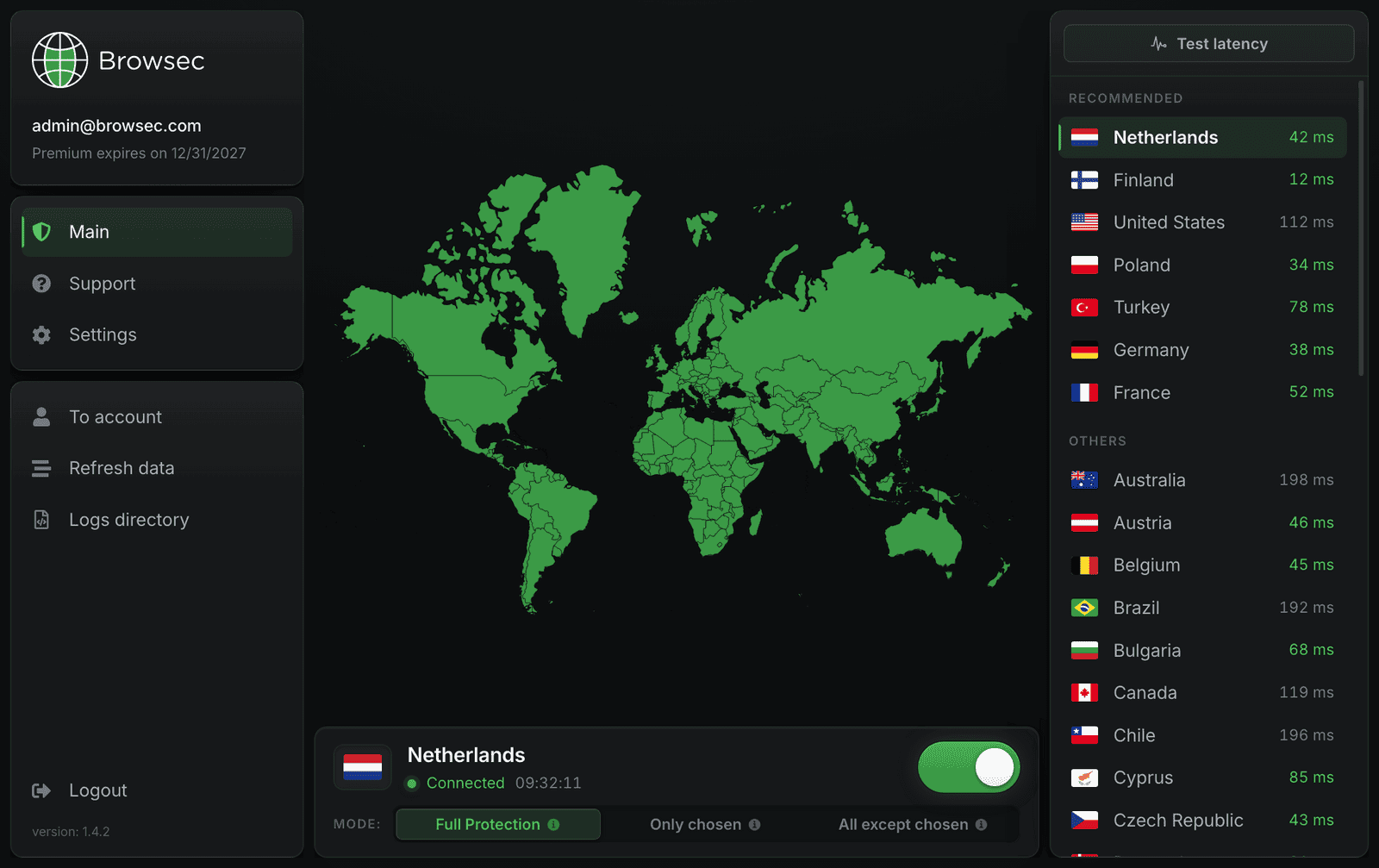
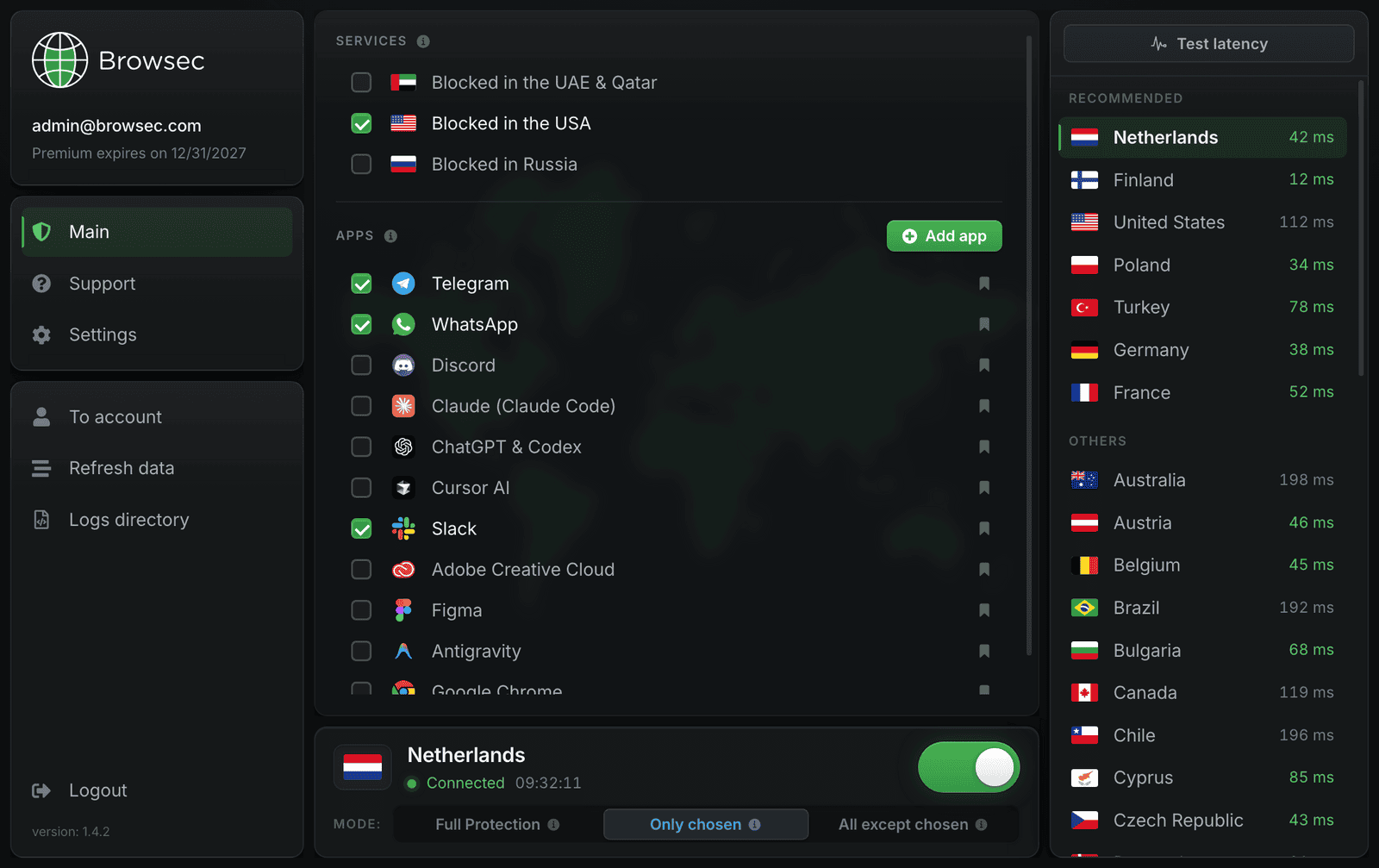
실시간 핑이 표시되는 목록에서 위치를 고르세요. 스마트 규칙(Smart Rules)을 쓰면 선택한 앱과 서비스만 VPN으로 보내거나, 제외한 것만 빼고 전부 VPN으로 보낼 수 있습니다.
믿을 수 있는 보안
견고한 암호화
앱이 macOS 연결 전체를 보호하므로 카페나 공항의 공용 Wi-Fi도 집 네트워크만큼 안전합니다. 같은 핫스팟에 있는 해커는 읽을 수 있는 데이터를 하나도 얻지 못합니다.
안정적인 연결
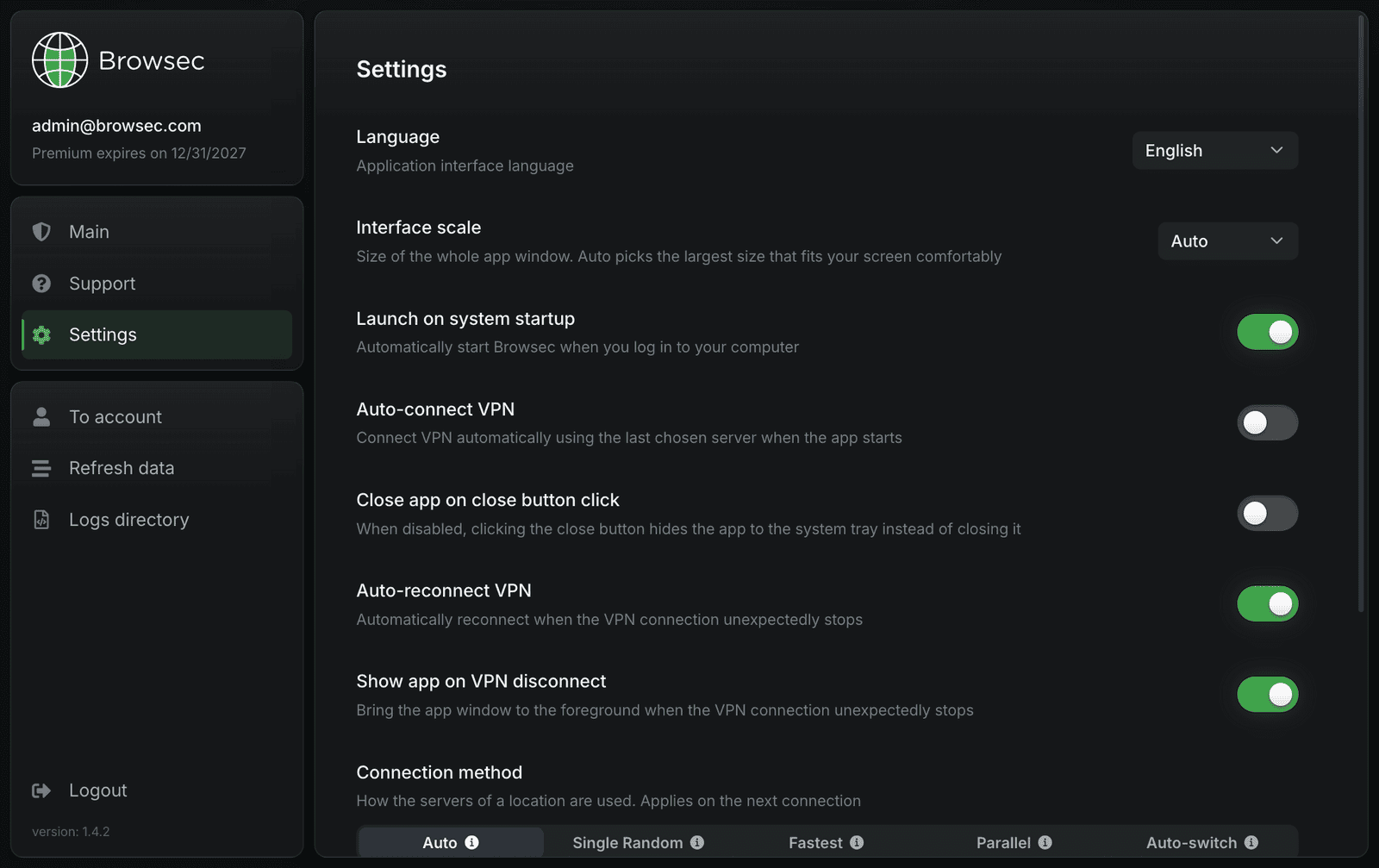
연결이 끊기면 앱이 알아서 다시 연결합니다. macOS와 함께 시작해 브라우저를 열기 전에 마지막으로 쓴 서버에 연결하도록 할 수도 있습니다.
최고의 서버
모든 위치에 빠른 서버가 있어 페이지와 동영상이 통신사가 제공하는 속도 그대로 열립니다.
macOS용 Browsec VPN 주요 기능
전 세계 연결
46개 서버 위치 중에서 고를 수 있습니다. 하나를 고르면 그 나라에 있는 것처럼 인터넷을 이용할 수 있습니다.
시스템 전체 암호화
브라우저 확장 프로그램은 브라우저 하나만 보호합니다. Mac 앱은 게임과 메신저를 포함해 컴퓨터의 모든 프로그램을 보호합니다.
클릭 한 번으로 보호
클릭 한 번으로 연결하고 끊을 수 있습니다. 나머지 시간에는 백그라운드에서 조용히 실행됩니다.
세 가지 보호 모드
'Full Protection'은 모든 트래픽을 VPN으로 보냅니다. 'Only chosen'은 메신저나 스트리밍 사이트처럼 체크한 앱과 서비스만 보호합니다. 'All except chosen'은 그 반대로, 은행처럼 제외한 것만 빼고 전부 보호합니다.
macOS용 Browsec VPN 사용자 후기
PowerUser_88드디어 인터넷 속도를 떨어뜨리지 않는 VPN을 찾았어요. M2 MacBook에서 완벽하게 돌아가고 인터페이스도 정말 깔끔해요.
Marcus T.브라우저만이 아니라 Mac 전체를 보호할 게 필요했어요. Browsec Desktop이 딱 그걸 해 주고, 빠르기까지 해요.
Lena K.설치는 2분도 안 걸렸어요. 바로 연결됐고 IP도 숨겨졌어요. 딱 필요했던 거예요.
GamerzVPN게임하고 스트리밍할 때 써요. 지연 없고 연결도 안정적이에요. Mac에서 써 본 VPN 앱 중 최고예요.
macOS용 Browsec VPN 시작하기
7일 환불 보장